
Nobody on a busy team has an hour to sit through a training video. They have five minutes between meetings, maybe ten on a lunch break. That is exactly why this approach works so well for real workplaces. Short lessons fit into the small gaps people actually have.
This post skips the theory. Below are 10 ideas you can copy this week, each with a simple example of what it looks like in a real team. We will also cover how to set things up without buying a brand new tool, plus a few best practices to avoid common mistakes.
What Makes Something a Microlearning Strategy
Bite-sized learning is not just “a short video.” A real microlearning strategy has three parts. It teaches one single idea. It takes five minutes or less. And it usually ends with a tiny check, like one question, so the person actually used what they just learned.
This matters because a lot of teams just chop a long course into smaller pieces and call it microlearning training. That is not the same thing. Cutting a 60 minute video into six 10 minute clips still asks someone to sit through 60 minutes total. Real microlearning respects someone’s actual five minutes, not just their attention span within a longer session.
Think of it like a snack instead of a meal cut into smaller plates. A snack is designed to be small from the start. It is not just a smaller portion of a big dinner. The same goes for a good lesson. It should be built small on purpose, with just enough content to teach one thing well, not squeezed down from something bigger.
This also changes who can write a lesson. A snack sized lesson does not need a full script, a studio, or a week of planning. Someone who knows the topic well can often write and record one in under an hour. That is a big part of why small teams with no training budget can still get started this month instead of waiting for a bigger project to get approved.
10 Microlearning Strategies You Can Use This Week
1. Turn One Manual Page Into One Lesson
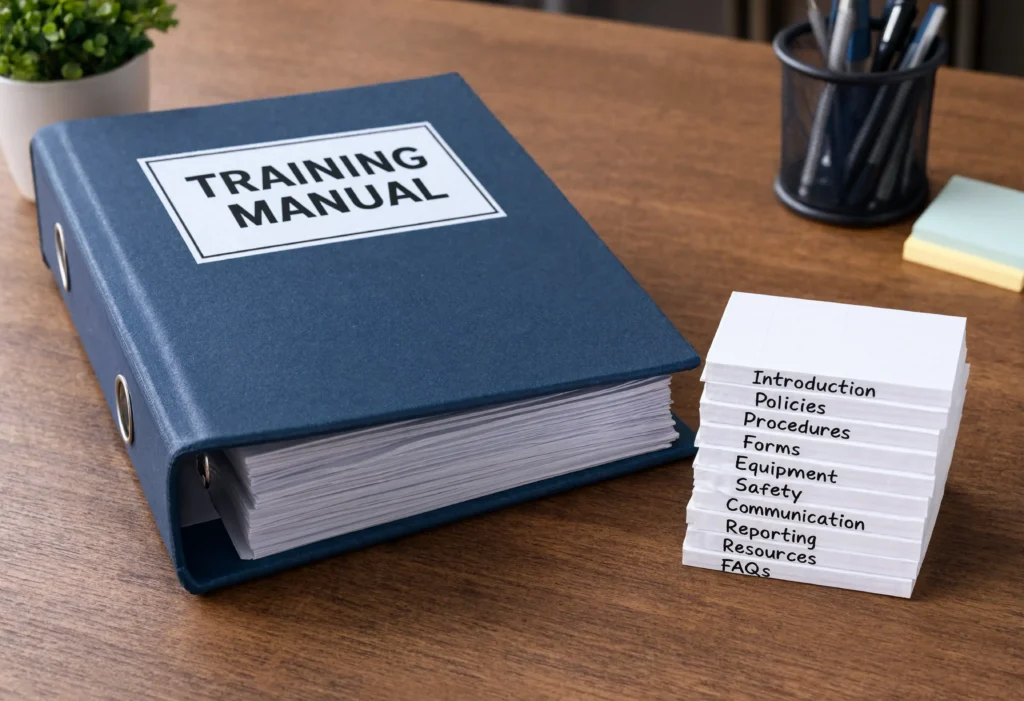
Pick your longest training manual. Find the single most useful page. Turn just that page into one short lesson with a quick example. Do this one page at a time instead of trying to convert the whole manual at once.
Example: A warehouse team turned their 40 page safety manual into 40 separate two minute lessons, one per page, sent one per week.
2. Use Spaced Repetition Reminders
Send a short reminder message a few days after someone finishes a lesson. This fights the natural way people forget new information over time. Research on spaced learning and the forgetting curve backs this up. A quick two question quiz sent three days later works better than a longer review sent once, right after training.
Example: A sales team gets a one question quiz by email three days after each new product training, then again two weeks later.
3. Build Microlearning Into Chat Tools
Workplace microlearning does not need its own app. A short lesson can live right inside Slack or Teams, where people already spend their day. This removes the extra step of logging into a separate learning system.
Example: A support team gets one short “tip of the day” message in their team channel, with a 90 second video attached.
4. Record Real Employees, Not Actors
Some of the best microlearning examples come from real staff explaining a task in their own words, not a polished studio video. This feels more real and often explains a task better than a script written by someone who has never done the job.
Example: A customer service lead recorded a two minute phone screen recording showing exactly how she handles an angry caller.
5. Tie Each Lesson to One Immediate Task
The best time to teach something is right before someone needs to use it. Instead of a big onboarding week, spread lessons out so each one lands right before the related task comes up.
Example: A new hire gets a two minute lesson on the expense system on the exact day they need to submit their first expense report, not during week one when it means nothing yet. This same idea works for existing staff too. A short refresher sent right before a busy season, like a return policy reminder sent right before a big sale, lands far better than the same lesson sent months earlier.
6. Use a Short Quiz Instead of a Long Review
A quick, low stakes question does more for memory than reading the same page twice. This is one of the simplest employee training strategies to add, since it just means adding one question at the end of a lesson you already have.
Example: A single multiple choice question at the end of a compliance video, instead of a long written summary nobody reads.
7. Build a Short Daily Streak
A small habit, done daily, beats a long session done once a month. This is one of the easiest wins in corporate microlearning, since keeping lessons short makes it realistic for someone to actually do one every day, instead of only when they remember.
Example: A marketing team does one five minute lesson each morning for two weeks to learn a new tool, instead of one long training day.
8. Make It Mobile First for Frontline Workers
Not everyone sits at a desk. Frontline and warehouse workers often only have a phone. Good microlearning for employees like this means building lessons for a phone screen from day one, with big buttons and short text, since a desktop course will simply never reach them.
Example: A retail chain sends one short lesson to store staff phones before each shift, covering one product feature at a time.
9. Let Employees Build Their Own Short Lessons
You do not need a training team to write every lesson. Ask your most experienced staff to record a two minute video explaining one thing they know well. This spreads out the work and often produces the clearest, most useful microlearning examples.
Example: A software team has each engineer record one short video explaining one part of the codebase they know best.
10. Check Completion Data and Cut What Does Not Work
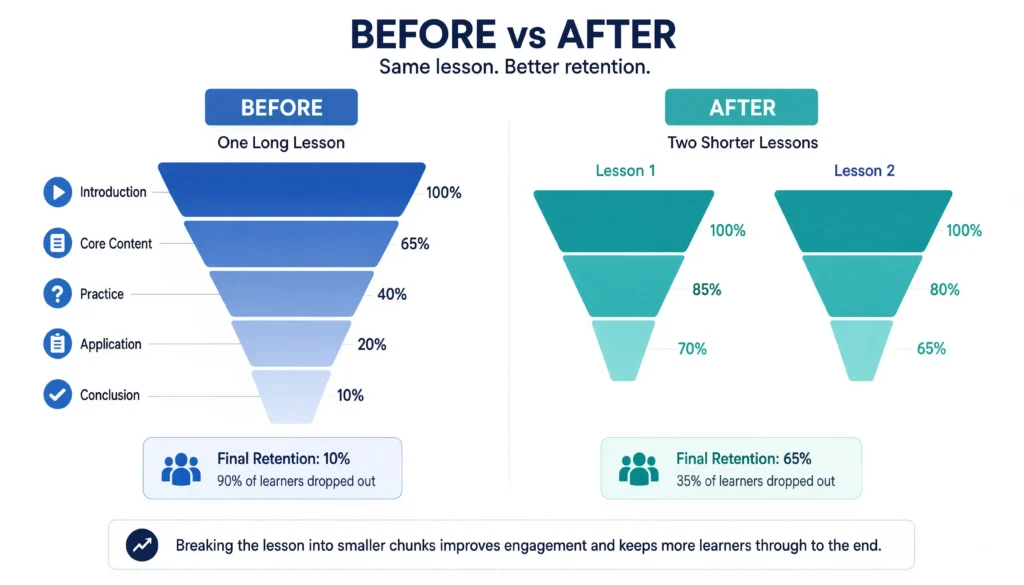
Once a lesson is live, watch the numbers. If a short lesson has a low completion rate, the problem is usually the lesson, not the learner. This lines up with research on microlearning in corporate training programs, which found that engagement and results improve most when lessons are refined based on real learner data rather than left untouched. Cut a weak lesson, shorten it, or rewrite it, rather than assuming people are just not trying.
Example: A team noticed one lesson had a 40 percent drop off halfway through, so they split it into two shorter lessons and completion jumped to 90 percent.
How to Implement Microlearning Without New Tools
You do not need special software to start. Many teams already have what they need. A messaging app, a shared drive, and a simple form for a one question quiz are enough to start.
Start with just one topic. Pick something people ask about often, write one short lesson, and send it out. Watch what happens. If people actually open it and answer the quiz, do another one the next week. If not, ask why before building ten more lessons nobody will use.
A simple way to pick that first topic is to look at your most repeated question. Ask any manager what question new hires ask again and again. That question is almost always a perfect first lesson, since you already know people need the answer and you already know how to explain it.
For teams that want the bigger picture on where training content is headed, our guide to the future of e-learning covers how microlearning fits with other trends like AI tools and phone friendly courses.
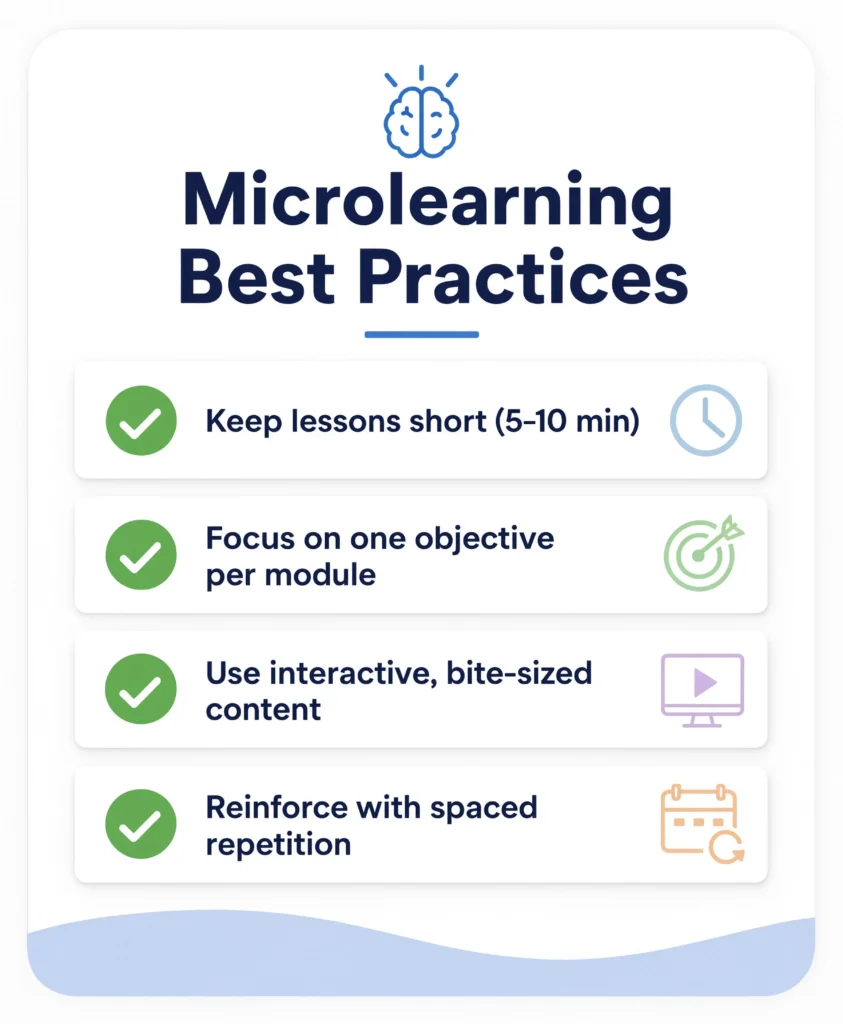
Microlearning Best Practices to Remember
Keep each lesson to one idea. If you find yourself explaining two things in one lesson, split it into two lessons instead.
Always end with a tiny check. A single question tells you if the lesson actually worked, and it helps the learner remember what they just saw.
Watch your data instead of guessing. Our post on measuring learner engagement and completion data covers which numbers actually matter, so you are not just watching a view count that does not tell you if anyone learned anything.
Design for phones first. If your team studies on a break or on the way somewhere, a lesson that only works well on a desktop screen will get ignored. Our guide to mobile-first course design covers what to check before you launch anything new.
Frequently Asked Questions
Q: How long should a microlearning lesson actually be?
A: Most lessons work best between two and seven minutes. Anything longer starts to feel like a regular course again, not a quick microlearning session.
Q: Do I need special software for microlearning training?
A: No. Many teams start with tools they already have, like a messaging app or a shared drive, before ever buying dedicated software.
Q: How is microlearning different from just shortening a normal course?
A: A normal course chopped into pieces still asks for the same total time. A real short lesson focuses on one idea and skips anything not needed for that one idea.
Q: What is the biggest mistake teams make with microlearning?
A: Trying to cover too much in one lesson. If a lesson takes more than seven minutes or covers more than one idea, it usually needs to be split into two.
Q: Can microlearning replace all of our training?
A: Not entirely. It works best for single skills, quick refreshers, and reminders. Longer, hands on skills or deep certifications usually still need a bigger course alongside the short lessons.
Final Thoughts
You do not need a big budget or a new platform to start using microlearning strategies. Pick one manual, one task, or one common question, and turn it into a single short lesson this week. The teams that stick with this longest are the ones who start small, watch their data, and fix lessons that are not working instead of adding more on top. Bite-sized learning only works if each piece is actually useful on its own.